

I’ve been spending a lot of time on LinkedIn since starting this newsletter. It just happened as I tried to figure out how to grow our community of independent consultants and the readership for this Substack.

I’m not an expert on this. My friend and community member Robin Engle actually pointed me to Sarah Royf, who has a whole business teaching consultants how to use LinkedIn properly. What I’m sharing here is more like notes from someone who has spent time fumbling around and learning things the hard way. Think of it as a starting point.
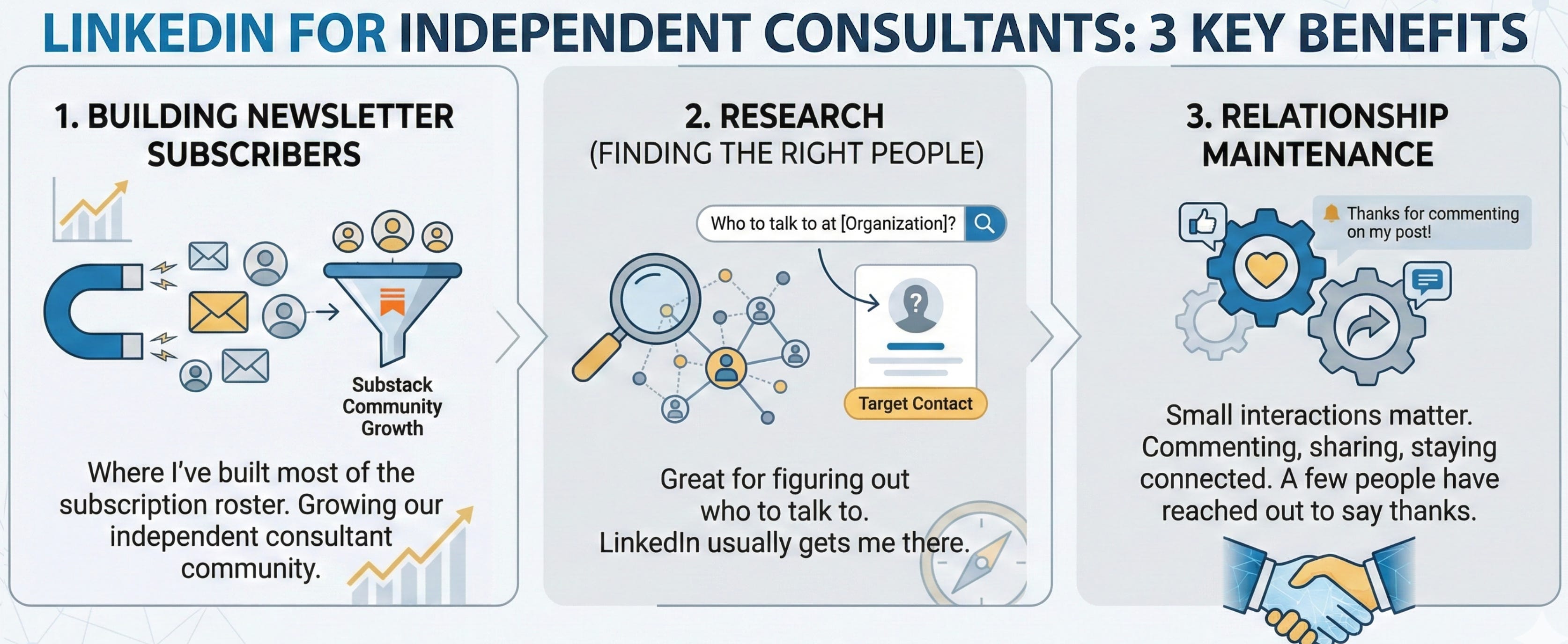
I’ve found LinkedIn useful for three main things.
First, it’s where I’ve built most of the subscription roster for this newsletter. Second, it’s great for research. When I need to figure out who to talk to at a particular organization, LinkedIn usually gets me there. And third, it helps me maintain relationships. A few people have reached out to say thanks for commenting on their post or sharing something they wrote. Those small interactions matter more than I expected.
Read on to learn more about these tips, but also to see my 4 top-performing posts!
A New Report Coming
But before getting to the rest of the article, please contribute to our survey!
We’re launching a Strategic Fitness Survey to understand how nonprofits make decisions and implement strategic thinking practices. It takes less than 10 minutes to complete, and we invite nonprofit staff, leaders, board members, and consultants to share their experiences. Your participation will help build a comprehensive picture of strategic practices across the sector, with findings to be published in early 2026. Please take the survey and share it with your network to help us gather diverse perspectives!
Now, back to LinkedIn tips and tricks.
The Engagement Game
I started this Substack with about a dozen friends who were independent consultants as subscribers. It’s grown to over 150 subscribers 100% through posting on LinkedIn. I think that’s really cool. I want to thank all of you for being part of it. I hope it’s been useful. I do love writing it! But here is how I did it.
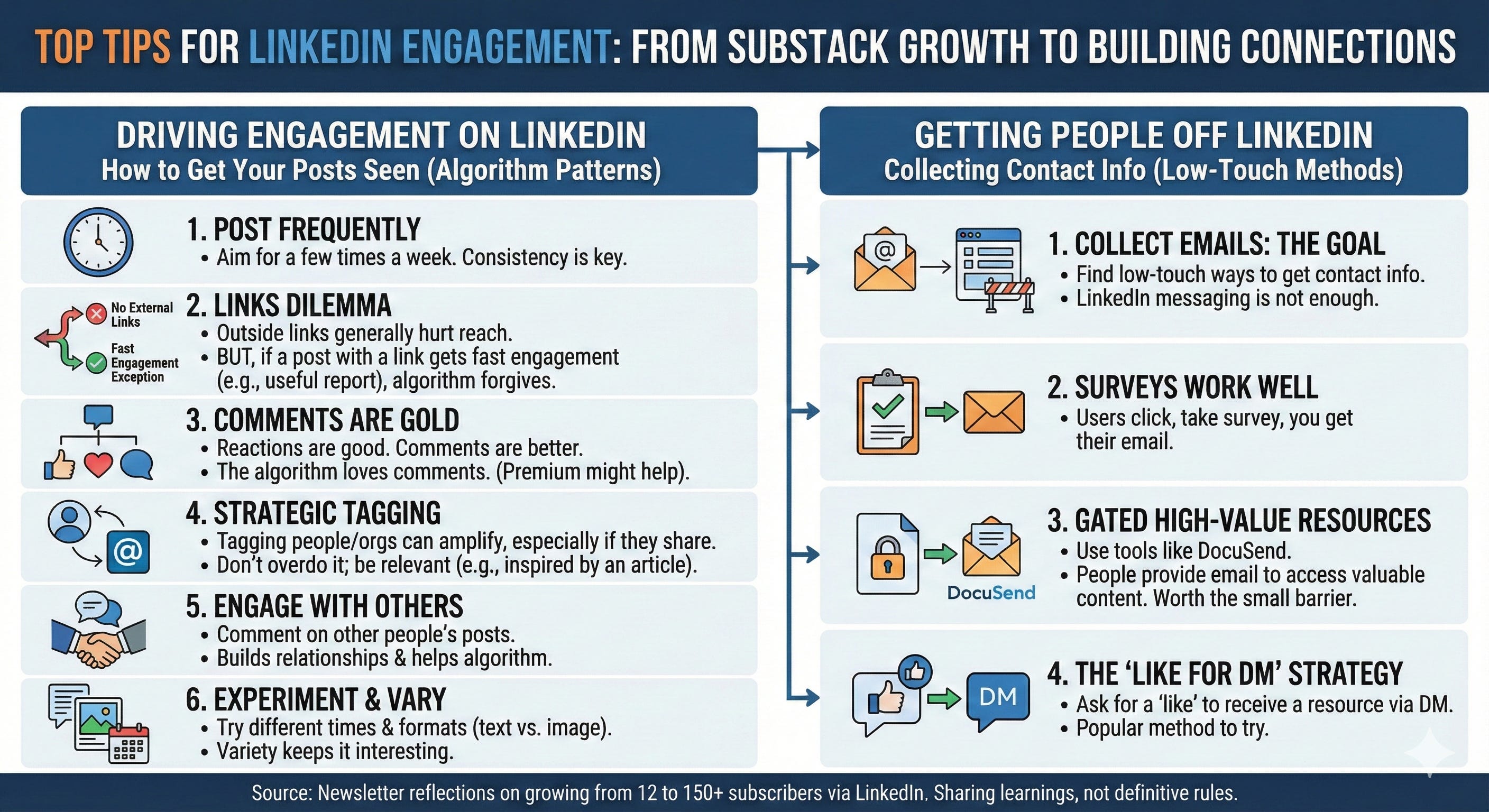
If you want people to see your posts, you need to post frequently. I aim for a few times a week. No one seems to know exactly what drives LinkedIn’s algorithm, which shows up in your impressions numbers (and then trickles down to engagement). But I’ve noticed some patterns.
Outside links generally hurt your reach. The algorithm doesn’t want you sending people away from LinkedIn. But there’s an exception. If your post with a link gets engagement really fast, LinkedIn seems to forgive the external link. For me, posts linking to our rates report or sources report drove tons of engagement. I think it’s because people found them genuinely useful and clicked immediately.
Reactions are good. Comments are better. The algorithm loves comments. I suspect paying for a Premium page helps too, though I can’t prove it.
Tagging people or organizations in your post can help, especially if they amplify what you shared. I try not to overdo this. It feels spammy if you’re just tagging people to get attention. One time, though, I wrote a post that was inspired by an article I had read in the Harvard Business Review. I tagged the author of that article and HBR, and that post did really well!
I also make sure to comment on other people’s posts. Engaging with others matters for the algorithm and for building actual relationships.
I also experiment with posting at different times and using different formats. Sometimes text performs better. Sometimes an image helps. Variety keeps things interesting for you and for your audience.
Getting People Off LinkedIn
Here’s something I learned the hard way. You need to find low-touch ways to collect contact information from people who engage with your content so you can communicate with them off of LinkedIn. Very few people are using LinkedIn messaging regularly. You need an email.
Unfortunately, asking someone to reply to you rarely works. But I’ve had success with two approaches.
Surveys work well. You click the link, take the survey, and I get your email.
I also use DocuSend for high-value resources. People give their email to access the content. It creates a small barrier, but if what you’re sharing is worth it, people will do it.
I’ve seen other people say “like this post and I’ll DM you with the resource.” That seems popular. I haven’t tried it myself.
Building Real Relationships
I don’t cold message people and ask to connect. Lots of people do this to me. I almost never respond unless we have mutual connections. It feels too transactional.
But if I meet someone in real life or on a call or even over email, I connect with them on LinkedIn right away. I include a quick message reminding them how we met. This improves my reach on LinkedIn and gives me a way to stay somewhat in front of the new contact.
Then I use LinkedIn to keep tabs on what they’re up to. Most people don’t post regularly. So when someone I’m connected with does post something, I try to like it at minimum. Usually I leave a comment. Engagement is rare enough that it means something when you show up.
If I’ve connected with someone but don’t know them well yet, I’ll often follow up with a “hey, let’s grab a quick virtual coffee” message. That’s worked better for me than trying to build a relationship entirely through LinkedIn interactions.
Connecting with people you aren’t already second-degree connected with can be hard. Having a Premium account helps with this. It also helps with sending messages, though I don’t use that feature much myself.
Using LinkedIn for Research
I mostly use LinkedIn to learn about individual people like where they worked previously. Premium helps if you’re not connected to them, but honestly, the search function is terrible. If I can’t find someone through LinkedIn search, I Google them instead. Usually I’ll find their website and click through to their LinkedIn profile from there.
The external links people provide on their profiles are useful. You can learn what someone values by what they choose to link to.
Most people don’t use their work email on LinkedIn, so it’s tough to build a proper contact list. This is another reason to use those techniques I mentioned earlier to get people’s email addresses.
I’ve found LinkedIn isn’t great for learning about organizations. The headcount numbers are often wrong. The company information is outdated. It’s better for understanding individuals than institutions.
Writing Posts That Work
I’ve learned that people respond to personal content. Not personal in a oversharing way, but personal in an authentic way. Your post should feel like you’re talking to a friend, not like you’re trying to sell something.
The first line matters more than anything else. LinkedIn cuts off most of your post in the feed. You need to stop the scroll. If your first line is boring, no one will click to read more.
I try to tell stories or share lessons I’ve learned. People connect with that more than abstract advice. If I can offer a clear takeaway or practical insight, even better.
I keep the tone conversational. I write like I talk. Short paragraphs help. Line breaks matter. People are scrolling quickly. Make it easy for them to read.
Sometimes I end with an open-ended question or something thought-provoking. This seems to encourage discussion in the comments, which helps with engagement.
Wrap Up
I’m still learning all of this. What works changes. The algorithm shifts. But these basics have held up for me over the past year. I hope some of them are useful for you too.
For fun and for learning, here are my posts that reached over 1,000 impressions. I’m sure that’s small for many people, but for me those are all-stars!
4,595 impressions because I linked Harard Business Review and the article’s author
1,863 impressions becaus I guess everyone else misses being in person as much as I do
1,351 impressions because no one can resist good Yale content
1,256 impressions because The Onion is hilarious