


Hi everyone,
Happy New Year! To kick off 2026, I’m updating our Consultant Tech Stack Guide. Because if you’re an independent consultant in the social impact space, you’re probably doing some version of this weekly math:
client work + business development + admin = …when do I breathe?
Most of us didn’t go independent because we love toggling between five half-working systems. We did it for autonomy, flexibility, and impact, but then we realized we also need repeatable operations if we want the work to stay sustainable.
So I updated our community-sourced Consultant Tech Stack Guide for 2026: a simple, modern setup for running an independent practice without spending your life in admin.

What this guide is (and isn’t)
It is: a lightweight, field-tested set of tools that helps you:
spend less time on admin and more time on meaningful work
keep business development from slipping to “whenever I’m not drowning”
get out of feast-or-famine cycles by making follow-up and pipeline feel automatic
It isn’t: a “buy 17 tools and become a productivity wizard” post. The goal is calm, not complexity.
The Philosophy Hasn’t Changed
Start with the core stack. Add optional tools only when you feel real pain, not when you read a good blog post about productivity.
Use what your clients use whenever possible, especially for project management and meetings. You’re joining their workflow, not making them join yours.
Minimize context switching. Fewer systems beats “best of breed” in almost every solo consulting setup.
I revisit my stack annually because pricing changes and new options appear. The community keeps updating what works, what doesn’t, and what’s worth the money. That collective wisdom has saved me from more bad decisions than I can count, and it’s the main reason I put this together each year.
The 2026 stack: the short version
The full guide has pricing ranges and alternatives for everything I’ve mentioned, plus categories I didn’t cover here like websites, course platforms, and domain management. But if you want the minimum viable stack that still feels professional:
Google Workspace
If I were starting from scratch today, I’d begin with Google Workspace. It’s not the best at any one thing, but it’s what most clients expect and it keeps email, docs, and calendar in one place. The alternative is Microsoft 365 (sorry, no one uses Notion or anything else, really), and the choice mostly comes down to what your clients use. I’ve learned the hard way that being the one person asking everyone to switch to a different platform gets old fast.
A real CRM (yes, even solo)
My 2026 pick: Attio — Most independent consultants don’t need “sales software.” We need a relationship map + follow-up engine that keeps warm connections warm, ensures no referral slips through the cracks, and makes it easy to answer: Who should I reach out to this week, and why? I like it because it feels the most like Google Sheets, which is where I feel most comfortable.Scheduling that protects your calendar
A scheduling link + a few guardrails (buffers, max meetings/day, blocks for deep work) makes the week saner instantly.Invoicing + payments
You want “send invoice → paid” to be boring.A meeting notes system you can use and get value from
Whether you prefer an AI notetaker or manual notes, the key is: every client call produces a clear recap + next steps + a living “client brief” you can reference.Password manager + 2FA, non-negotiable
Consulting means handling sensitive documents and logins. Security should be boring and consistent.
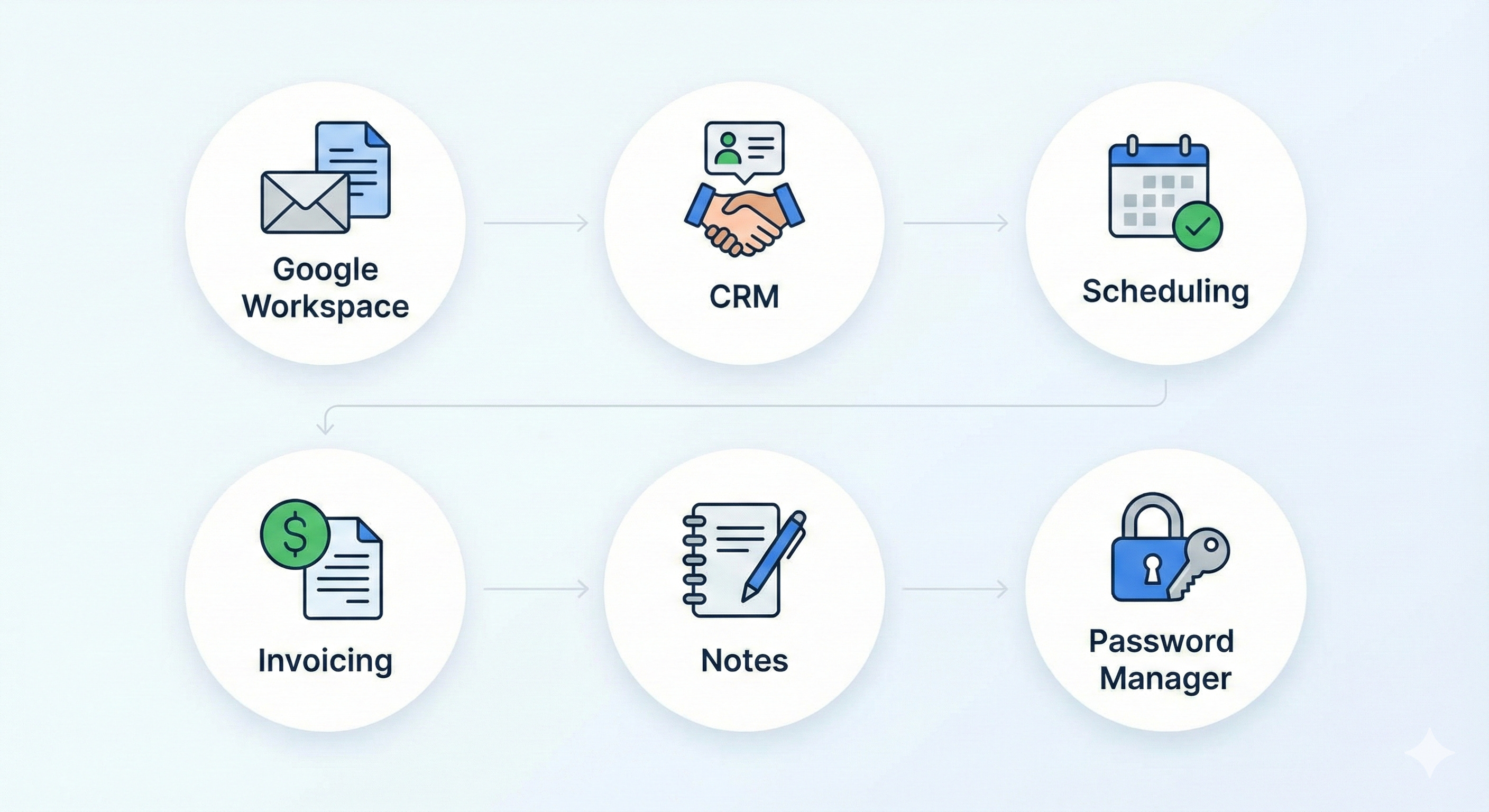
Here’s a starting approach I recommend:
Step 1: Pick one “source of truth” per job
CRM = relationships + pipeline
Docs = client deliverables + notes
Invoicing = money
Password manager = access
Step 2: Create a weekly 20-minute process where you:
check pipeline
send follow-ups
review upcoming invoices
plan your week
The fewer decisions you have to make, the better!
Step 3: Upgrade only when there’s a clear pain
If a tool isn’t solving a real problem, it’s just another tab.

If you want help choosing your stack…
Reply and tell me:
what kind of social impact work you do
what’s currently breaking (lead tracking, proposals, invoicing, scheduling, notes, etc.)
your comfort level with “systems” (minimalist vs power user)
I’ll suggest some options.
And if you have a tool you swear by, hit reply — I’m always collecting community-tested recommendations.
Talk soon,
Sam